
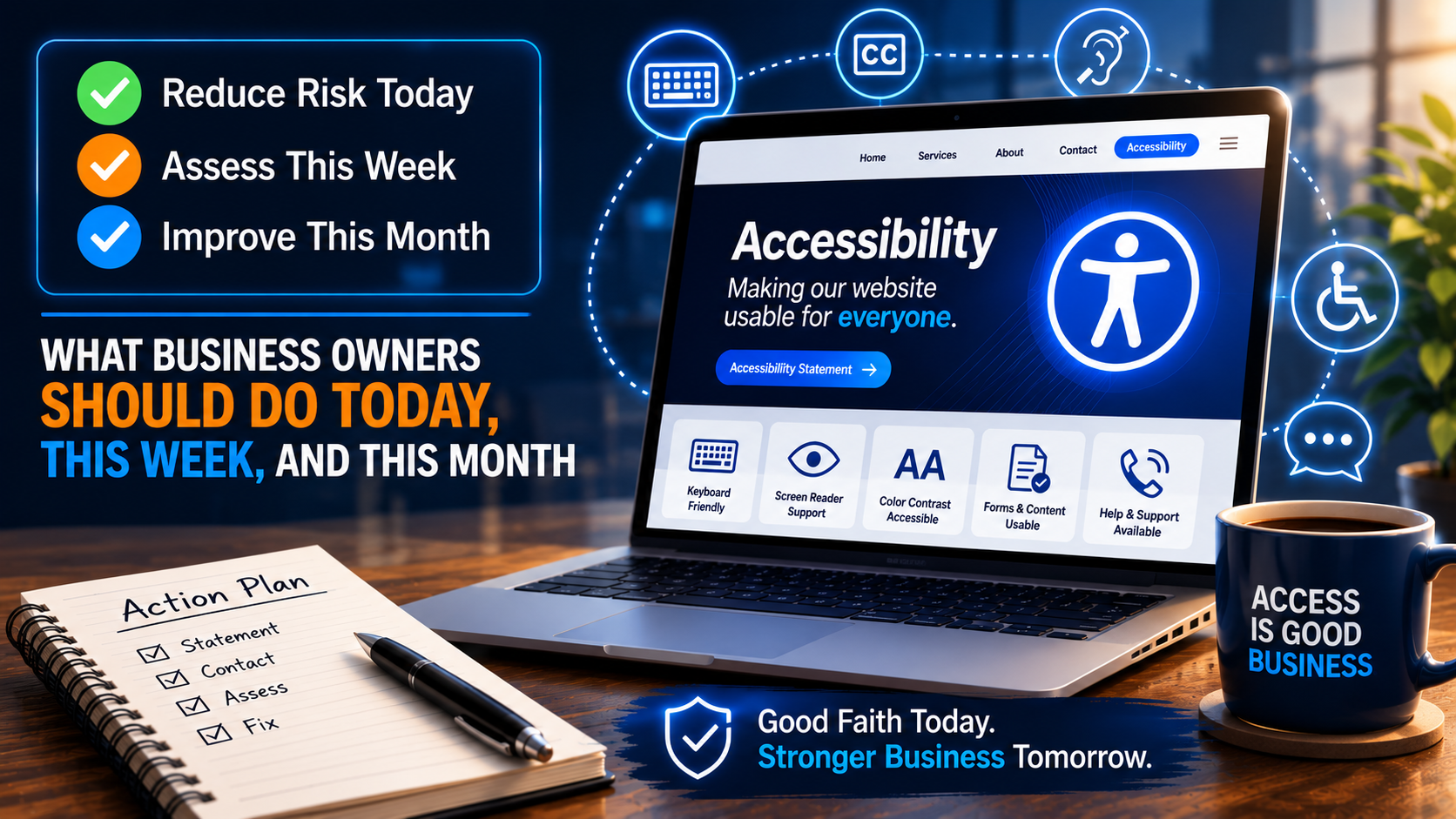
Your website may be putting your business at risk right now.
That may sound dramatic, but for many business owners it is true. If customers with disabilities cannot use your website, your business may be losing sales, damaging trust, and exposing itself to accessibility complaints, demand letters, or legal action.
The problem is that most business owners do not know where to begin.
They hear phrases like ADA compliance, Section 508, WCAG, screen readers, keyboard navigation, alt text, captions, color contrast, and accessibility overlays. The subject feels technical, legal, expensive, and overwhelming.
So they do nothing.
That is the mistake.
The right first move is not panic. The right first move is triage.
If your website has accessibility problems, you need to take immediate good-faith action today, then follow it with a practical assessment and remediation plan. An accessibility statement and a reliable help channel can be a smart first step, but they are not the full solution.
They are the beginning.
The Same-Day Step Every Business Website Should Take
If you are a business owner and you are concerned that your website may not be accessible, one of the first things you should do is create an Accessibility page on your website.
This page should include a clear accessibility statement.
That statement should explain that your company is working to improve the accessibility and usability of the website for all users, including people with disabilities. It should provide a way for users to report barriers. It should include a phone number, email address, or contact form where someone can request help if they cannot complete a task on the site.
This should not be buried in fine print.
It should be easy to find, ideally linked from the footer of the website, just like your Privacy Policy, Terms of Use, or Contact page.
This is not because an accessibility statement magically makes your website compliant. It does not.
But it does communicate something important: your company is aware of accessibility, your company is open to feedback, and your company has provided a channel for assistance while improvements are being made.
That matters.
An Accessibility Statement Is Not Compliance
Here is where many businesses get this wrong.
They think that if they add an accessibility statement, they have solved the problem.
They have not.
An accessibility statement is not the same thing as an accessible website. It is not a substitute for keyboard access. It is not a substitute for proper form labels. It is not a substitute for readable color contrast. It is not a substitute for captions, headings, alt text, error identification, accessible PDFs, or properly coded navigation.
Think of it this way.
If a restaurant has stairs at the front entrance and no accessible way in, a sign that says “We care about accessibility” does not solve the problem. The sign may communicate intent, but the customer still cannot get inside.
A website works the same way.
If someone cannot complete a purchase, fill out a form, book an appointment, read your content, download your documents, or navigate your menu, the barrier still exists.
The statement is not the fix. The statement is the public-facing first step.
The real fix is remediation.
Why a Phone Number Helps — But Does Not Save You
Some business owners are advised to add a toll-free number and tell users to call if they have trouble using the website.
That can be helpful, but only if it is done honestly and responsibly.
A phone number may help a customer who is stuck. It may give your staff an opportunity to assist someone before the issue turns into a formal complaint. It may show that your company is trying to provide an alternate way to access information or services.
But a phone number is not a replacement for an accessible website.
Some users need to complete tasks privately. Some need to use the site outside normal business hours. Some do not want to call and explain their disability-related difficulty to a stranger. Some may be deaf or hard of hearing. Some may have speech disabilities. Some may simply expect the same independent access that other customers receive.
That is the point.
Accessibility is not charity. It is not special treatment. It is equal access.
If your website gives one group of customers instant online access but requires disabled customers to call a special number, wait for help, or explain the problem, that is not equal digital service.
So yes, add a phone number if you can support it. Add an email address. Add a contact form. Add a clear process.
But do not confuse alternate assistance with full accessibility.
Be Careful With “24/7” Promises
If you say that help is available 24 hours a day, 7 days a week, then it needs to be true.
Do not publish a 24/7 accessibility support promise unless your company can actually deliver it.
If the phone number goes to voicemail, say that. If your team responds during business hours, say that. If urgent requests are handled faster, say that. If you use an answering service, make sure the service knows what to do with accessibility-related calls.
A weak promise can create a new problem.
A strong accessibility statement should be clear, accurate, and realistic. It should not be vague marketing language. It should not exaggerate. It should not imply that the site is fully compliant if you have not verified that it is.
Better to say:
“We are actively working to improve the accessibility of our website. If you experience difficulty accessing content or completing a task, please contact us and we will make reasonable efforts to assist you.”
That is much better than:
“We are fully ADA compliant.”
Unless you have actually tested and remediated the site, do not make claims you cannot support.
What Business Owners Should Do Today
Today’s goal is simple: reduce risk, improve communication, and create a path for users who encounter barriers.
By close of business today, a business owner should consider doing the following:
Create an Accessibility page.
Add a link to that page in the website footer.
Publish a clear accessibility statement.
Provide at least two contact methods, such as phone and email.
Assign someone inside the business to receive and respond to accessibility issues.
Document any complaints or barrier reports.
Avoid claiming full compliance unless the site has been properly evaluated.
This is basic accessibility risk triage.
It does not require a full redesign. It does not require months of planning. It does not require the owner to understand every technical detail of WCAG.
It requires the company to stop ignoring the issue.
What to Do This Week
Once the statement and contact channel are in place, the next step is to find out where the real risks are.
This is where many businesses need an accessibility risk snapshot.
A risk snapshot is not necessarily a full enterprise audit. It is a focused review designed to identify the most obvious and most damaging accessibility barriers on key pages and user flows.
For example:
Can users navigate the site with a keyboard?
Can screen reader users understand the page structure?
Do images that communicate meaning have appropriate alt text?
Do forms have proper labels and clear error messages?
Can users see where keyboard focus is?
Is text readable against its background?
Are menus, popups, sliders, and accordions accessible?
Are PDFs accessible?
Are videos captioned?
Can users complete critical tasks such as buying, booking, contacting, applying, donating, or registering?
This is where business risk becomes specific.
Instead of saying, “Our website might not be accessible,” the company can say, “Here are the seven issues most likely to affect real users, and here is the order in which we should fix them.”
That is progress.
What to Do This Month
After the risk snapshot, the business should begin remediation.
Not everything has to be fixed at once. The smart approach is to prioritize the issues that affect the most important user tasks.
Start with the homepage, navigation, contact page, forms, checkout, booking, login, documents, and any page that drives leads or revenue.
Then fix the most severe issues first.
Keyboard traps should be fixed quickly.
Forms that cannot be completed by assistive technology users should be fixed quickly.
Invisible focus indicators should be fixed quickly.
Low-contrast text that prevents people from reading important content should be fixed quickly.
Missing labels, broken headings, inaccessible menus, unlabeled buttons, and inaccessible PDFs should be put into a real remediation plan.
The company should keep records of what was found, what was fixed, who is responsible, and what remains on the roadmap.
This documentation matters because accessibility is not a one-time project. It is an ongoing business process.
Every new page, plugin, PDF, video, form, theme update, or third-party widget can introduce new barriers.
That means accessibility must become part of how the business manages its website.
The Developer’s Role
Developers also need to understand the difference between an accessibility statement and accessible code.
A client may ask for an Accessibility page, but the page does not relieve the developer of responsibility for building usable, semantic, accessible interfaces.
Good developers should be thinking about accessibility in the actual code:
Use semantic HTML whenever possible.
Make sure buttons are buttons and links are links.
Do not remove visible focus indicators.
Label form fields correctly.
Associate error messages with the fields they describe.
Make custom components keyboard operable.
Test modals, menus, tabs, sliders, and accordions.
Do not rely on color alone to communicate meaning.
Avoid using ARIA to patch bad markup when native HTML would work better.
The best accessibility work usually starts with solid fundamentals.
Accessibility is not just a legal concern. It is a quality concern.
A site that is easier for people with disabilities to use is often easier for everyone to use.
The Business Owner’s Role
Business owners do not need to become accessibility engineers.
But they do need to take ownership.
The business owner should ask:
Can every customer use our website?
Do we have a way to receive accessibility feedback?
Who is responsible for responding?
Have we tested our most important pages?
Are we making accessibility claims we cannot prove?
Do our developers, designers, content writers, and vendors understand our accessibility expectations?
Are our PDFs, videos, and forms included in the review?
This is where leadership matters.
Accessibility cannot be left only to the web developer, the marketing person, the theme vendor, or an automated plugin. The business has to decide that equal access matters and that digital barriers are business risks.
Do Accessibility Overlays Solve the Problem?
Many businesses are tempted to install an accessibility overlay or widget and assume the issue is handled.
Be careful.
Some tools may provide useful features, but no widget can automatically fix every underlying accessibility barrier in your website’s code, content, documents, and user flows.
If the form is coded incorrectly, the overlay may not make it fully usable.
If the checkout process has a keyboard trap, the overlay may not fix it.
If a PDF is inaccessible, the overlay may not repair the document.
If the menu is confusing to screen reader users, the overlay may not solve the structural issue.
Accessibility requires testing, judgment, and remediation.
There is no magic button.
The Best Message to Give a Business Owner
If I were advising a business owner today, I would say this:
“Your company may be exposed to accessibility risk because some people with disabilities may not be able to use your website. The first step is to act today. Add an Accessibility page, publish a clear statement, and provide a reliable way for users to request help. But understand this clearly: the statement and phone number do not make the website compliant. They are interim risk-reduction steps. The real work is to assess the site, identify the most serious barriers, and start fixing them in priority order.”
That is the balanced message.
It creates urgency without creating panic.
It gives the owner something to do immediately.
And it points them toward the real solution.
Final Thought: Looking Responsible Is Not the Same as Being Responsible
An accessibility statement can help your business look more responsible.
A phone number can help your business respond more responsibly.
But an accessible website is what makes your business actually more responsible.
The goal is not just to reduce legal risk.
The goal is to make sure that more people can use your website, understand your content, contact your business, buy your products, book your services, and participate in what you offer.
That is good compliance.
That is good customer service.
And that is good business.
If your company does not know where it stands, start with an Accessibility Risk Snapshot. Find the barriers. Prioritize the fixes. Document the plan. Then move from uncertainty to action.